Ysi DIQ/S 182-MOD System 182 Bedienungsanleitung Seite 1
Stöbern Sie online oder laden Sie Bedienungsanleitung nach Ausrüstung Ysi DIQ/S 182-MOD System 182 herunter. YSI DIQ/S 182-MOD System 182 User Manual Benutzerhandbuch
- Seite / 154
- Inhaltsverzeichnis
- LESEZEICHEN

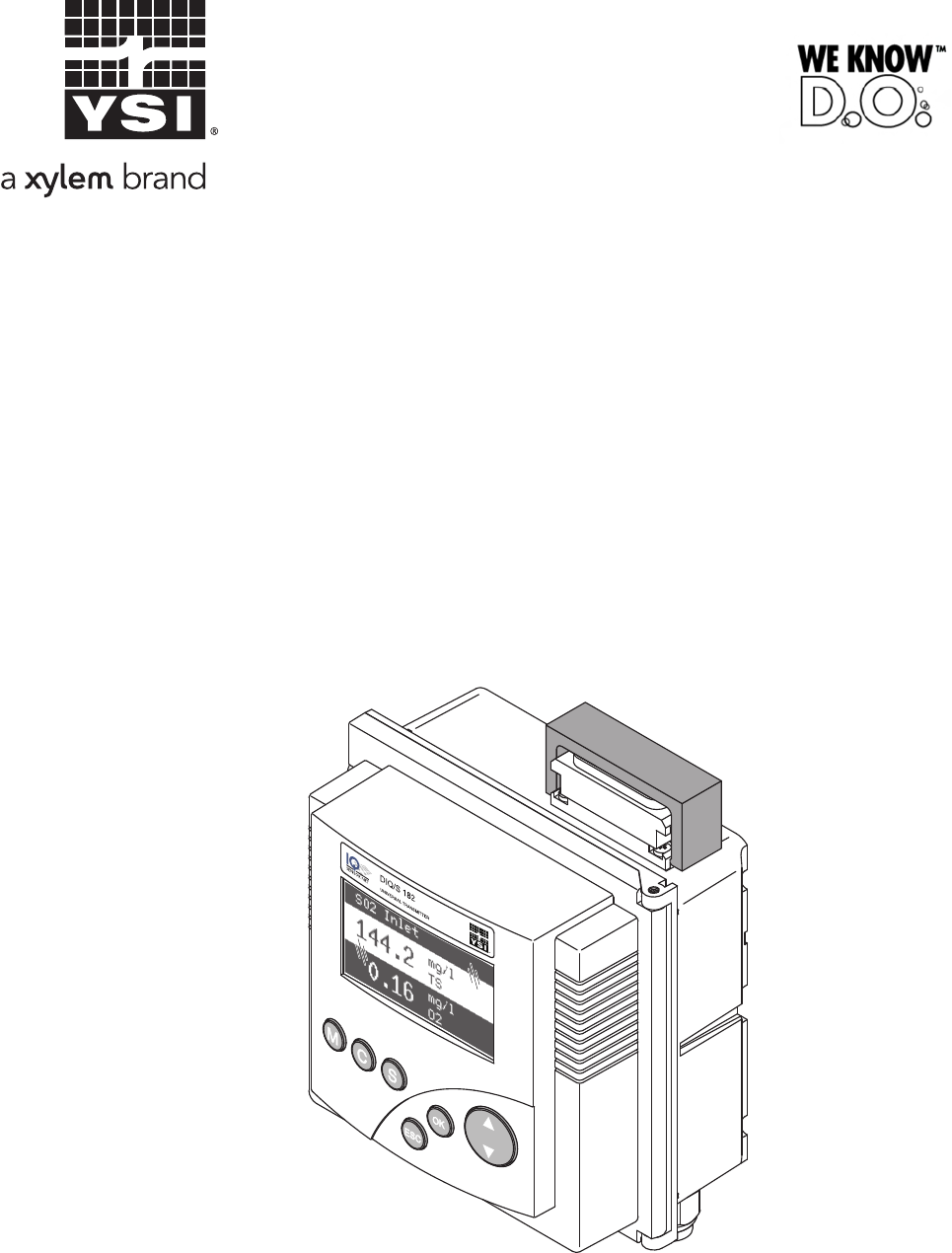
- DIQ/S 182-MOD 1
- System 182 1
- © 2012 Xylem Inc 2
- System 182 - Contents 3
- Contents System 182 4
- System 182 Contents 5
- 1Overview 7
- System 182 Overview 9
- Overview System 182 10
- 2 Safety instructions 11
- 2.2 Authorized use 12
- 3 Installation 15
- Installation System 182 16
- System 182 Installation 17
- SNCIQ/UG 27
- (pos. 2) into the enclosure 28
- X3 X2 X1 29
- SENSORNET 1 29
- MIQ Modules 32
- 34.5 4711 11 36
- Blind nut 40
- Terminal 46
- 24V AC DC 49
- Relais contact 55
- Auxiliary voltage output 55
- Valve control line 55
- Separating plate 55
- 3.10 Commissioning 56
- 3.11 Installation examples 57
- Max. total cable length 58
- SNCIQ(/UG) and SACIQ = 250 m 58
- DIQ/S 182-MOD(/24V) 58
- 4 Operation 63
- Operation System 182 64
- System 182 Operation 65
- 4.4 PROPERTIES menu 70
- Category 75
- Type number 75
- 4.5 Calibration of sensors 77
- 4.6 Passwords 79
- 5The SETTINGS menu 81
- 5.3 Sensor S01/S02 82
- System 182 The SETTINGS menu 83
- 5.4 Relay output R1/R2/R3 84
- 5.5 Modbus configuration 84
- 5.6 System 84
- The SETTINGS menu System 182 86
- 6 Relay outputs 87
- Time [s] 95
- 6.4 Setting table for relays 100
- System 182 Relay outputs 101
- Relay outputs System 182 102
- ≤ 10 min max. 60 s max. 120 s 108
- 7 Modbus connection 113
- Safety bracket 114
- System 182 Modbus connection 115
- Modbus connection System 182 116
- 7.4 Transmitted sensor data 117
- )2...222(21 121
- ⋅++⋅+⋅+⋅⋅⋅−= 121
- 7.5 Modbus query 123
- 7.6 Modbus error elimination 126
- 8 Maintenance and cleaning 127
- 9 What to do if 129
- What to do if ... System 182 130
- System 182 What to do if 131
- 10 Technical data 135
- Technical data System 182 136
- System 182 Technical data 137
- 10.2 MIQ modules 139
- 10.3 DIQ/JB 141
- 10.4 DIQ/CHV 142
- Wall mounting 144
- Panel mounting 144
- 11 Contact Information 145
- 12 Accessories and options 147
- 13 Index 149
- Index System 182 150
- 14.1 Forgotten the password? 151
- 14.2 Default passwords 151
Inhaltsverzeichnis
ba76025e01 02/2012DIQ/S 182-MODSystem 182System operating manualModular measuring systemfor 2 digital sensorswith Modbus RTU/RS 485 output
Overview System 1821 - 4ba76025e01 02/2012
Relay outputs System 1826 - 14ba76025e01 02/20126.4 Setting table for relays6.4.1 Functions and settingsTo set a relay its function has to be selected
System 182 Relay outputs6 - 15ba76025e01 02/20126.4.2 System monitoringFunction The System monitoring enables monitoring system errors.To set up the S
Relay outputs System 1826 - 16ba76025e01 02/20126.4.3 Sensor monitoringFunction The Sensor monitoring function enables to monitor sensor errors and th
System 182 Relay outputs6 - 17ba76025e01 02/20126.4.4 Limit indicatorFunction The characteristic of the limit indicator is laid down in the Limit valu
Relay outputs System 1826 - 18ba76025e01 02/20126.4.5 Frequency outputFunction The characteristic of the frequency output is laid down in the Start va
System 182 Relay outputs6 - 19ba76025e01 02/20126.4.6 Pulse-width outputFunction The characteristic of the pulse width output is laid down in the Star
Relay outputs System 1826 - 20ba76025e01 02/20126.4.7 Sensor-controlled cleaningWith the Sensor controlled function, the relay is controlled by a link
System 182 Relay outputs6 - 21ba76025e01 02/20126.4.8 CleaningFunction The Cleaning function enables the time controlled automatic start of the sensor
Relay outputs System 1826 - 22ba76025e01 02/2012Settings* With short cleaning intervals, the adjustable values for the Cleaning duration and Adjustmen
System 182 Relay outputs6 - 23ba76025e01 02/2012ExampleFig. 6-12 Cleaning cycleSetting ResultReference time (h): Reference time (min):Interval unit:Cl
System 182 Safety instructions2 - 1ba76025e01 02/20122 Safety instructionsThis operating manual contains essential instructions that must be followed
Relay outputs System 1826 - 24ba76025e01 02/2012Canceling the cleaning A running cleaning cycle is canceled: Automatically– If the sensor switches to
System 182 Relay outputs6 - 25ba76025e01 02/20126.5 Behavior of linked relay outputs6.5.1 Behavior in case of errorFor linked relay outputs, you can s
Relay outputs System 1826 - 26ba76025e01 02/2012
System 182 Modbus connection7 - 1ba76025e01 02/20127 Modbus connectionNoteFurther instructions for the installation and operation of a Modbus network
Modbus connection System 1827 - 2ba76025e01 02/20127.2 Connecting the Modbus cableThe Modbus cable is connected to the DIQ/S 182-MOD using a 9-pin D-S
System 182 Modbus connection7 - 3ba76025e01 02/2012NoteAll cables with electrical characteristics according to EN 50170 are suitable as a Modbus cable
Modbus connection System 1827 - 4ba76025e01 02/2012NotePlease observe the operating manual of the connector.7.3 Setting the Modbus interface parameter
System 182 Modbus connection7 - 5ba76025e01 02/2012NoteTo accept all settings, you have to highlight the Save and quit menu item at the lower end of t
Modbus connection System 1827 - 6ba76025e01 02/2012Query and responsetelegramData transmission takes place via query and response telegrams. The form
System 182 Modbus connection7 - 7ba76025e01 02/2012Changing theassignment of sensornumbersYou want to change the assignment of sensor numbers to senso
Safety instructions System 1822 - 2ba76025e01 02/2012Special userqualificationsThe following installation activities may only be performed by a qualif
Modbus connection System 1827 - 8ba76025e01 02/20127.4.3 Sensor data blockThe data block contains the data of the sensors in the order of their regist
System 182 Modbus connection7 - 9ba76025e01 02/2012NoteThe counting method of the Modbus registers and Modbus bits and the allocation of MSB and LSB i
Modbus connection System 1827 - 10ba76025e01 02/2012NoteIf the measured value is equal to 0, check the measured value status. If the measured value st
System 182 Modbus connection7 - 11ba76025e01 02/20127.5 Modbus queryWith each query of sensor data via the Modbus protocol, a block of consecutive reg
Modbus connection System 1827 - 12ba76025e01 02/2012Response with all sensor information of the sensor S02:Modbus responseByte Value Information Meani
System 182 Modbus connection7 - 13ba76025e01 02/201212 42h Contents of register 13 (HI)= main measured value429E46C2h (Float 32) --> 79,1382Measure
Modbus connection System 1827 - 14ba76025e01 02/20127.6 Modbus error eliminationNoteHere you will find causes and actions to take of errors concerning
System 182 Maintenance and cleaning8 - 1ba76025e01 02/20128 Maintenance and cleaning8.1 MaintenanceMaintenance activities8.2 CleaningDIQ/S 182-MOD,DIQ
Maintenance and cleaning System 1828 - 2ba76025e01 02/2012
System 182 What to do if ...9 - 1ba76025e01 02/20129 What to do if ...9.1 Information on errorsLog book The DIQ/S 182-MOD system performs a comprehens
System 182 Safety instructions2 - 3ba76025e01 02/2012Safe operation If safe operation is no longer possible, the System 182 must be taken out of opera
What to do if ... System 1829 - 2ba76025e01 02/2012The selected systemlanguage was notactivated for a sensor 9.3 Replacing system components9.3.1 Rep
System 182 What to do if ...9 - 3ba76025e01 02/2012 All characteristics of the link with an output.If no suitable inactive dataset is available, a ne
What to do if ... System 1829 - 4ba76025e01 02/2012NoteIt is always possible to replace components and assign a substitute if the software state of th
System 182 What to do if ...9 - 5ba76025e01 02/2012Operating sequence incase 21 Connect the IQ sensor.2 Change to the measured value display with m. T
What to do if ... System 1829 - 6ba76025e01 02/2012
System 182 Technical data10 - 1ba76025e01 02/201210 Technical data10.1 DIQ/S 182-MODDimensionsFig. 10-1 Dimension drawing of the DIQ/S 182-MOD (dimens
Technical data System 18210 - 2ba76025e01 02/2012Mechanicalconstruction Ambient conditions Electrical dataDIQ/S 182-MOD(line power version) Enclosure
System 182 Technical data10 - 3ba76025e01 02/2012Electrical dataDIQ/S 182-MOD/24V(24 V AD/DC version) Electrical connectionsDIQ/S 182-MOD(line power v
Technical data System 18210 - 4ba76025e01 02/2012TerminalsCable glandsModbus RTU/ RS 485connection9-pin SUB-D socket on the top of the enclosure, comp
System 182 Technical data10 - 5ba76025e01 02/201210.2 MIQ modulesNoteTechnical data on special MIQ modules are given in the respective operating manua
Safety instructions System 1822 - 4ba76025e01 02/2012
Technical data System 18210 - 6ba76025e01 02/2012Mechanicalconstruction Terminal connectionsCable glandsMaximum number of MIQ modules in a module stac
System 182 Technical data10 - 7ba76025e01 02/201210.3 DIQ/JBDimensionsFig. 10-3 Dimension drawing of DIQ/JB (dimensions in mm)Mechanicalconstruction E
Technical data System 18210 - 8ba76025e01 02/201210.4 DIQ/CHVDimensionsFig. 10-4 Dimension drawing of DIQ/CHV (dimensions in mm)Mechanicalconstruction
System 182 Technical data10 - 9ba76025e01 02/2012Valve circuitsCautionThe valve may only be operated with the auxiliary voltage of the DIQ/S 182-MOD U
Technical data System 18210 - 10ba76025e01 02/201210.5 Space required by mounted componentsWall mounting and tophat rail mountingFig. 10-5 Space requi
System 182 Contact Information11ba76025e01 02/201211 Contact Information11.1 Ordering & Technical SupportWhen placing an order please have the fol
Contact Information System 18212ba76025e01 02/2012
System 182 Accessories and options12 - 1ba76025e01 02/201212 Accessories and optionsNoteOther accessories for the System 182 are given in the YSI cata
Accessories and options System 18212 - 2ba76025e01 02/2012
System 182 Index12 - 1AAir pressure ... 5-4Altitude ...
System 182 Installation3 - 1ba76025e01 02/20123 InstallationNoteHow to connect the DIQ/S 182-MOD to the Modbus master is described in detail in the ch
Index System 18212 - 2Modbus cable ...7-3Modbus connectorPin assignment ...
System 182 Appendix (store separately if required)14 - 1ba76025e01 02/201214 Appendix (store separately if required)14.1 Forgotten the password?Procee
Appendix (store separately if required) System 18214 - 2ba76025e01 02/2012
1725 Brannum LaneYellow Springs, Ohio 45387 USA+1 937-767-7241800-765-4974 (US)FAX (937) 767-1058Email: [email protected]: www.ysi.com
Installation System 1823 - 2ba76025e01 02/2012The external protective measures of the installation environment can be carried out with respect to the
System 182 Installation3 - 3ba76025e01 02/2012with overvoltage category II. Generally this is ensured through the public operator of the power supply
Installation System 1823 - 4ba76025e01 02/20123.4 Connecting system components3.4.1 Connecting MIQ modules: General informationYou can connect the Uni
System 182 Installation3 - 5ba76025e01 02/2012CautionFor optimum stability, a maximum of two MIQ modules may be connected to the Universal Transmitter
System 1822ba76025e01 02/2012NoteFor the most recent version of the manual, please visit www.ysi.com.Contact YSI1725 Brannum LaneYellow Springs, OH 45
Installation System 1823 - 6ba76025e01 02/20123.4.2 Variant 1: Stack expansion forwardsPreparing the stackmountingFig. 3-1 Preparing MIQ modules for s
System 182 Installation3 - 7ba76025e01 02/2012Premounting the ISOblind nutsFig. 3-3 Premounting the ISO blind nuts (variant 1)4 Attach the contact bas
Installation System 1823 - 8ba76025e01 02/2012Stacking theMIQ modulesFig. 3-4 Stacking the MIQ modules (variant 1)Fig. 3-5 Closing the enclosure (vari
System 182 Installation3 - 9ba76025e01 02/20123.4.3 Variant 2: stack expansion backwardsPreparing the stackmountingFig. 3-6 Preparing the MIQ modules
Installation System 1823 - 10ba76025e01 02/2012NoteOnly use the plastic tapping screws supplied for attaching the contact base. They ensure the correc
System 182 Installation3 - 11ba76025e01 02/2012Stacking theMIQ modulesFig. 3-9 Stacking the MIQ modules (variant 2)Fig. 3-10 Closing the enclosure (va
Installation System 1823 - 12ba76025e01 02/20123.4.4 Distributed mountingGeneral information For the locally separated connection between Universal Tr
System 182 Installation3 - 13ba76025e01 02/2012Preparing the cableendsFig. 3-11 Prepared cable endConnecting the cables The SNCIQ and SNCIQ/UG cables
Installation System 1823 - 14ba76025e01 02/2012Fig. 3-12 Connecting cables (example of Universal Transmitter)3 Screw a cable gland (pos. 1 in Fig. 3-1
System 182 Installation3 - 15ba76025e01 02/2012Fig. 3-13 Example: SENSORNET connectionNoteThe complete assignment of the terminal strip is shown in se
System 182 Contents0 - 1System 182 - Contents1 Overview . . . . . . . . . . . . . . . . . . . . . . . . . . . . . . . . . . . . . . . . . . . . . . .
Installation System 1823 - 16ba76025e01 02/20123.4.5 Connecting IQ sensorsSensors can be connected to all free SENSORNET connectors in the 182 system.
System 182 Installation3 - 17ba76025e01 02/2012Fig. 3-14 Connecting the SACIQ cable with the IQ sensorNoteFor further instructions on the mounting of
Installation System 1823 - 18ba76025e01 02/20123.5 On site mounting of the Universal Transmitter and MIQ Modules3.5.1 General informationThe DIQ/S 182
System 182 Installation3 - 19ba76025e01 02/20123.5.2 Mounting on a mounting stand with the SSH/IQ sun shieldMaterials required SSH/IQ sun shield (se
Installation System 1823 - 20ba76025e01 02/2012Premounting the ISOblind nutsFig. 3-16 Mounting the sun shield: Premounting the ISO blind nuts2 Remove
System 182 Installation3 - 21ba76025e01 02/2012Mounting the UniversalTransmitter on the sunshieldFig. 3-17 Mounting the Universal Transmitter on the S
Installation System 1823 - 22ba76025e01 02/20123.5.3 Panel mountingMaterials required PMS/IQ kit for panel mounting (see chapter 12 ACCESSORIES AND
System 182 Installation3 - 23ba76025e01 02/2012Mounting the UniversalTransmitter in the panelFig. 3-20 Mounting the Universal Transmitter in the panel
Installation System 1823 - 24ba76025e01 02/20123.5.4 Top hat rail mountingMaterials required THS/IQ kit for top hat rail mounting (see chapter 12 AC
System 182 Installation3 - 25ba76025e01 02/20123.6 Using DIQ modules (accessories)NoteThe various application possibilities of the DIQ modules are sho
Contents System 1820 - 24 Operation . . . . . . . . . . . . . . . . . . . . . . . . . . . . . . . . . . . . . . . . . . . . . . . . . . . . . . . .
Installation System 1823 - 26ba76025e01 02/2012Fig. 3-23 DIQ/CHV open.3.6.3 Installation of the DIQ modulesThe DIQ module enclosure is designed like a
System 182 Installation3 - 27ba76025e01 02/20123.7 Electrical connections: General instructionsCable glands All electric cables are fed from below via
Installation System 1823 - 28ba76025e01 02/2012General installationinstructionsObserve the following points when attaching connecting wires to the ter
System 182 Installation3 - 29ba76025e01 02/20123.8 Connecting the voltage supplyNoteThe two following paragraphs describe how to connect both models o
Installation System 1823 - 30ba76025e01 02/2012Preparing the powercableFig. 3-25 Prepared power cable.CautionThe ground wire must not project into the
System 182 Installation3 - 31ba76025e01 02/2012Connecting the powerlineFig. 3-26 Inserting the supply line.5 Open the enclosure of the Universal Trans
Installation System 1823 - 32ba76025e01 02/2012Fig. 3-27 Line power connection.NoteThe complete assignment of the terminal strip is shown in section 3
System 182 Installation3 - 33ba76025e01 02/20123.8.2 DIQ/S 182-MOD/24V (24 V version)WarningIf the 24 V AC/DC supply is incorrectly connected, it may
Installation System 1823 - 34ba76025e01 02/2012Fig. 3-28 Prepared 24 V AC/DC line.Connecting the 24 V AC/DC lineFig. 3-29 Inserting the 24V AC/DC line
System 182 Installation3 - 35ba76025e01 02/2012Fig. 3-30 24 V AC/DC connection.NoteThe complete assignment of the terminal strip is shown in section 3
System 182 Contents0 - 37 Modbus connection . . . . . . . . . . . . . . . . . . . . . . . . . . . . . . . . . . . . . . . . . . . . . . . . . . 7-17
Installation System 1823 - 36ba76025e01 02/20123.8.3 Additional MIQ power supply modulesThe power pack of the Universal Transmitter supplies enough po
System 182 Installation3 - 37ba76025e01 02/2012TriOxmatic® 700 IQ (SW)--- ------1 1--TriOxmatic® 701 IQ--- ------1 1--TriOxmatic® 702 IQ--- ------1 1-
Installation System 1823 - 38ba76025e01 02/20123.9 Connections to the relay outputs3.9.1 General installation instructionsWarningIf external electrica
System 182 Installation3 - 39ba76025e01 02/2012Connecting lines to theterminal stripFig. 3-31 Inserting linesNoteThe complete assignment of the termi
Installation System 1823 - 40ba76025e01 02/2012WarningNo free wires must be allowed to project into the enclosure. Otherwise, there is a danger that a
System 182 Installation3 - 41ba76025e01 02/2012CautionRun the bridge below the divider so the bridge does not bump against the circuit board in the li
Installation System 1823 - 42ba76025e01 02/20123.10 CommissioningStart checklist andsystem startBefore starting the system, carry out the system check
System 182 Installation3 - 43ba76025e01 02/20123.11 Installation examples3.11.1 Connecting two sensors without compressed air cleaningConnection schem
Installation System 1823 - 44ba76025e01 02/20123.11.2 Connecting two sensors with compressed air cleaningConnection scheme ofvalve controlExample: Rel
System 182 Installation3 - 45ba76025e01 02/2012X13X15 X12X14 X11 X10 X9X2X2X8X1X1Terminal stripDIQ/S 182-MODVariantTerminal stripDIQ/CHV 1Terminal str
Contents System 1820 - 4
Installation System 1823 - 46ba76025e01 02/20123.12 Figures of the terminal stripsDIQ/S 182-MODDIQ/S 182-MOD/24VDIQ/JBDIQ/CHVSENSORNET 1SENSORNET 2RED
System 182 Installation3 - 47ba76025e01 02/2012
Installation System 1823 - 48ba76025e01 02/2012
System 182 Operation4 - 1ba76025e01 02/20124 Operation4.1 Operating elementsFig. 4-1 Operating elements of the DIQ/S 182-MODFunctionsMCSESCOKDisplayKe
Operation System 1824 - 2ba76025e01 02/20124.2 Measured value and status displayWith the m key you switch to the last selected measured value and stat
System 182 Operation4 - 3ba76025e01 02/2012 Select the PROPERTIES menu with g. With this menu you can put sensors in the maintenance condition and pr
Operation System 1824 - 4ba76025e01 02/20124.3 Working with the SETTINGS menuNoteAll settings in the SETTINGS menu can be protected by a password agai
System 182 Operation4 - 5ba76025e01 02/20124.3.2 Setting tablesIn the setting tables, you make the actual settings. Two lines together represent each
Operation System 1824 - 6ba76025e01 02/20124.3.3 Entry modeIn the entry mode, you can change individual values or enter a character string. Depending
System 182 Operation4 - 7ba76025e01 02/2012If you want to correct a previously selected character while entering, select the thin arrow to the left b
System 182 Overview1 - 1ba76025e01 02/20121Overview1.1 Structure and functionThe System 182 is a modular, multiparameter measuring system. The control
Operation System 1824 - 8ba76025e01 02/20124.4 PROPERTIES menu4.4.1 OverviewPressing g switches from the measured value display to the PROPERTIES menu
System 182 Operation4 - 9ba76025e01 02/20124.4.2 Maintenance conditionWhen an IQ sensor is calibrated, cleaned, serviced or repaired, the maintenance
Operation System 1824 - 10ba76025e01 02/2012Recommendedproceeding for cleaning,maintenance and repairAutomatic switch-on ofthe maintenanceconditionThe
System 182 Operation4 - 11ba76025e01 02/20124.4.3 Sensor status SxxIn the SENSOR STATUS Sxx menu you can prompt the following information on a sensor:
Operation System 1824 - 12ba76025e01 02/2012Calibration data You can view the data of the last calibration under the Cal menu item. Sensors that have
System 182 Operation4 - 13ba76025e01 02/2012Structure of themessage codeFig. 4-10 Message codeNoteOnly the last message of each message code is ever d
Operation System 1824 - 14ba76025e01 02/20123 Select the Log... menu item and press g.The log book is displayed.4 Highlight the message to be acknowle
System 182 Operation4 - 15ba76025e01 02/20124.5 Calibration of sensorsNoteSensors can be protected by a password against unauthorized calibration. For
Operation System 1824 - 16ba76025e01 02/2012Putting the sensor intooperation aftercalibratingNoteIf calibration was not successful, this is indicated
System 182 Operation4 - 17ba76025e01 02/20124.6 PasswordsYou can assign and activate two passwords for the System 182. Settings password protects all
Overview System 1821 - 2ba76025e01 02/2012Relay outputs The relay outputs can be linked to sensors. Linked outputs can be used to monitor sensors and
Operation System 1824 - 18ba76025e01 02/2012
System 182 The SETTINGS menu5 - 1ba76025e01 02/20125The SETTINGS menu5.1 Overview of the SETTINGS menuPressing S switches from the measured value disp
The SETTINGS menu System 1825 - 2ba76025e01 02/2012NoteIf the selected system language is not available in a sensor, all displays of this sensor appea
System 182 The SETTINGS menu5 - 3ba76025e01 02/2012NoteTo accept all settings, you have to highlight the Save and quit menu item at the lower end of t
The SETTINGS menu System 1825 - 4ba76025e01 02/20125.4 Relay output R1/R2/R3In these menus you can link sensors with the relay outputs of the Universa
System 182 The SETTINGS menu5 - 5ba76025e01 02/2012Delivery conditionSettings Default valuesLanguage EnglishPressure/Altitude 1013 mbar / 0 mSettings
The SETTINGS menu System 1825 - 6ba76025e01 02/2012
System 182 Relay outputs6 - 1ba76025e01 02/20126 Relay outputs6.1 General informationThe DIQ/S 182-MOD Universal Transmitter has three relay outputs a
Relay outputs System 1826 - 2ba76025e01 02/20126.2 Linking and adjusting: general proceedings6.2.1 Linking relay outputsLinking options You have the f
System 182 Relay outputs6 - 3ba76025e01 02/20126.2.2 Deleting a link with an outputIf you no longer need a link you can erase the link.Proceeding: era
System 182 Overview1 - 3ba76025e01 02/20121.2 Behavior of the system in the case of power failure The system configuration remains stored permanently
Relay outputs System 1826 - 4ba76025e01 02/20126.2.3 Setting outputsProceeding: setting anoutputNoteTo accept all settings, you have to highlight the
System 182 Relay outputs6 - 5ba76025e01 02/20126.3 Basic information on relay functionsIn this chapter, you will find general basic information concer
Relay outputs System 1826 - 6ba76025e01 02/2012Monitoring limitingvalues using one or tworelaysFig. 6-1 Switching points for relays with the function
System 182 Relay outputs6 - 7ba76025e01 02/20126.3.3 Proportional outputIn the case of proportional output, a relay switches cyclically on and off in
Relay outputs System 1826 - 8ba76025e01 02/2012Output with one relayFig. 6-2 Output with one relayOutput with two relaysFig. 6-3 Output with two relay
System 182 Relay outputs6 - 9ba76025e01 02/2012Pulse width output The output via the pulse width is used, e.g. for controlling valves.Pulse-width regu
Relay outputs System 1826 - 10ba76025e01 02/2012Frequency output Switching frequency output is used, e.g. for controlling dosing pumps.In contrast to
System 182 Relay outputs6 - 11ba76025e01 02/2012Characteristic curves Through the selection of the Start value and End value, the proportional output
Relay outputs System 1826 - 12ba76025e01 02/2012Positive characteristiccurveThe proportional output range begins above the initial value. If the propo
System 182 Relay outputs6 - 13ba76025e01 02/2012Negative characteristiccurveThe proportional output range begins below the initial value. If the propo
Verwandte Produkte und Handbücher für Ausrüstung Ysi DIQ/S 182-MOD System 182
 (44 Seiten)
© 2020, manymanuals.de. Alle Rechte vorbehalten. | 0.068 s |
 Manymanuals.com
 Manymanuals.de
 Manymanuals.fr
 Manymanuals.it
 Manymanuals.pl
 Manymanuals.cz
 Manymanuals.es
 Manymanuals-pt.com
Kommentare zu diesen Handbüchern